![Asset-14.png]](https://4169409.fs1.hubspotusercontent-na1.net/hub/4169409/hubfs/Asset-14.png?height=410&name=Asset-14.png)
1. Log into the Group Admin account and click "Order History". **This process can only be submitted from the Primary Group Admin login and is not accessible on the App.**

2. Click "View" or the blue order number link.

3. Click "Cancel Subscription"
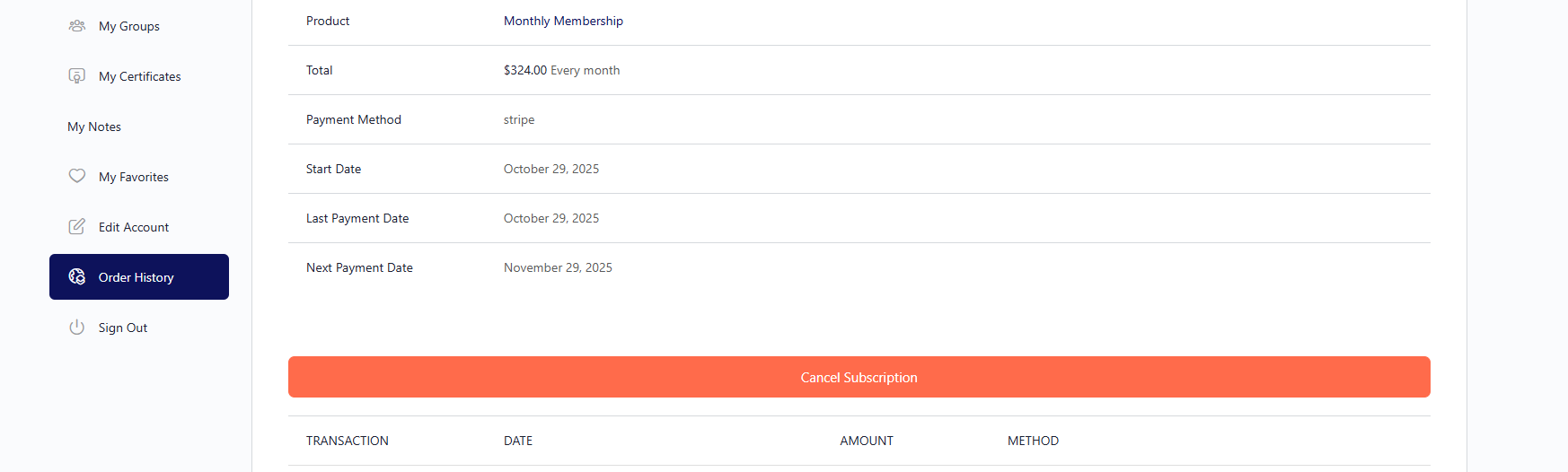
**Please note that it may show Pending Cancellation until the end of the current billing cycle and you will still have access to the membership until that time.
***A Pending Cancel request can only be submitted by the Primary Group Admin and must be done prior to the next billing date in order to avoid another charge. Please note that our prices have recently updated and any previous pricing will no longer be available when you want to return.
We recommend checking out the amazing savings and perks that are offered in our Annual Subscription offering. Savings, Free Courses and Extra Seats!!