1. Click "My Certificates" located on your Dashboard.

2. Click the download button to download the certificate.

3. Click on the certificate to view and see more options.

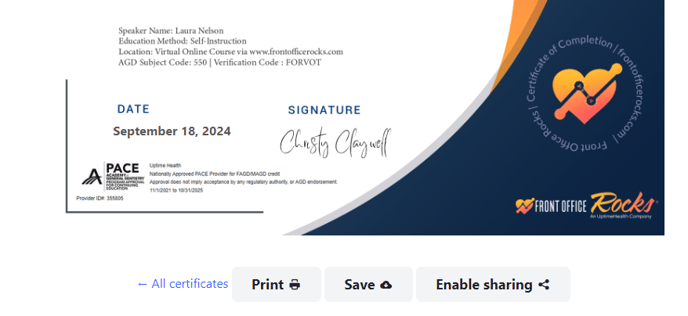
4. Click Print, Save, or Enable sharing.
![Asset-14.png]](https://4169409.fs1.hubspotusercontent-na1.net/hub/4169409/hubfs/Asset-14.png?height=410&name=Asset-14.png)
1. Click "My Certificates" located on your Dashboard.
2. Click the download button to download the certificate.
3. Click on the certificate to view and see more options.
4. Click Print, Save, or Enable sharing.